
AI Metadata & Content Credentials
Do ChatGPT-Generated Images Have Metadata? What the File Can Reveal
See the source, action, and time fields inside a real GPT-generated image, and understand what they do not tell a recipient about your prompt or identity.
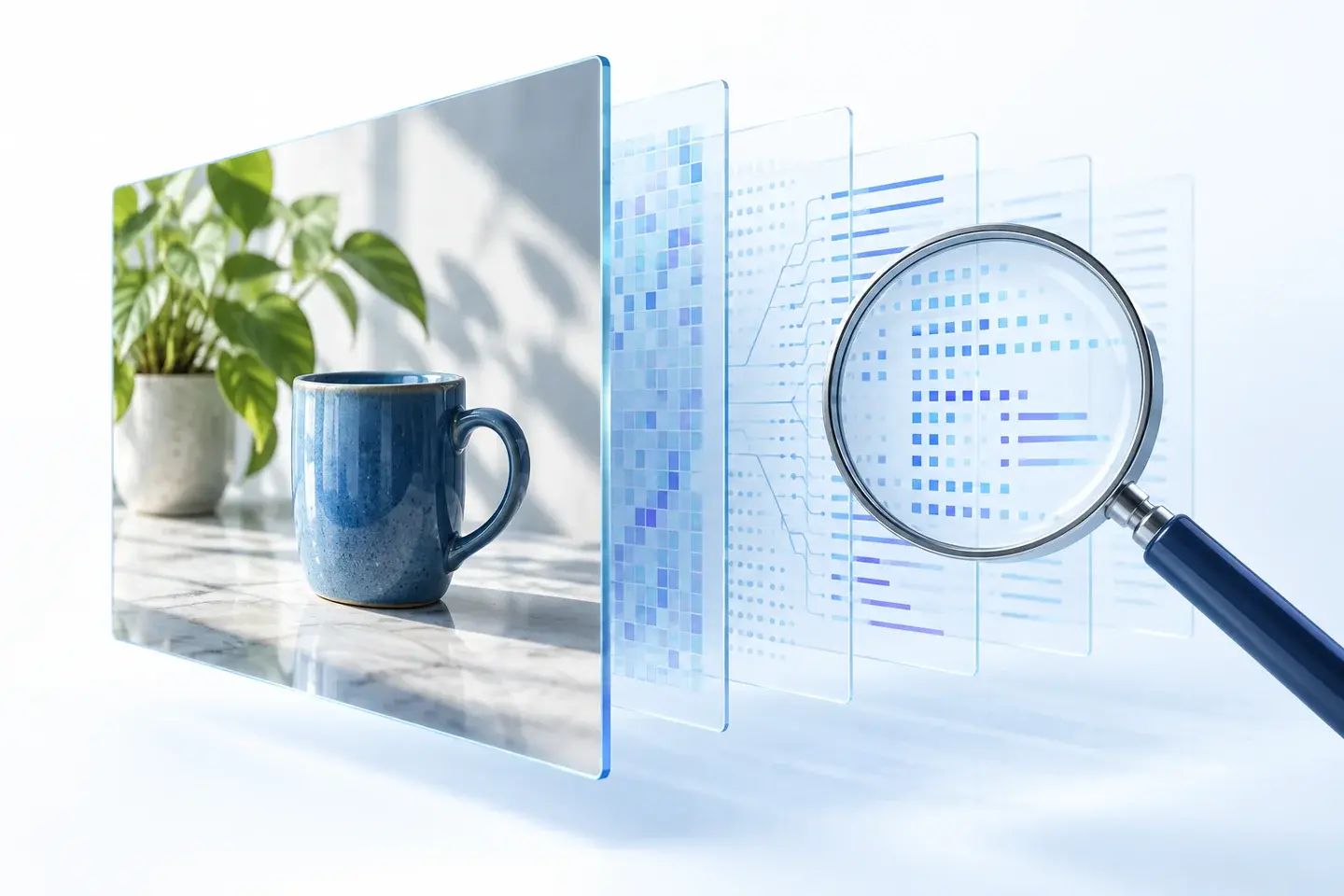
Yes, ChatGPT-generated images can have metadata. That may include Content Credentials describing a file's source and processing history. It does not follow that a recipient can read your conversation, recover your prompt, or identify your account.
OpenAI's provenance documentation says supported images carry C2PA metadata and SynthID watermarks, with coverage varying by product, model, export path, format, and creation date. The useful question is therefore: what does the particular file you are sharing actually contain?
We generated a harmless GPT image and parsed its embedded C2PA claim and action records on September 9, 2026. Below are the fields we found, what they mean, and where the evidence stops.
A real GPT image, not an assumed field list
Our sample shows a blue mug beside a plant. We kept the returned PNG unchanged for inspection, rather than testing a screenshot or a compressed preview.

The original is 1,766,177 bytes and contains a PNG caBX chunk with 21,844 bytes of C2PA data. Our local image metadata inspector recognized the Content Credentials container. We then used a separate local parser to read the claim and action fields shown below. The website's container label alone does not display all of those details.
You can download the unchanged sample PNG and the machine-readable evidence summary. The sample's SHA-256 hash is recorded in that summary so another reader can check they have the same bytes.

This is a GPT-generated sample, not a ChatGPT web-download test or a comparison of every export option. We did not validate the signature or test for an invisible watermark. We also did not fully decode the binary certificate and timestamp material. Our findings concern the parsed content declarations, not every possible meaning of every byte in the file.
What ChatGPT image metadata can reveal
The most informative fields in our GPT image describe software and actions, rather than the person who entered the request.
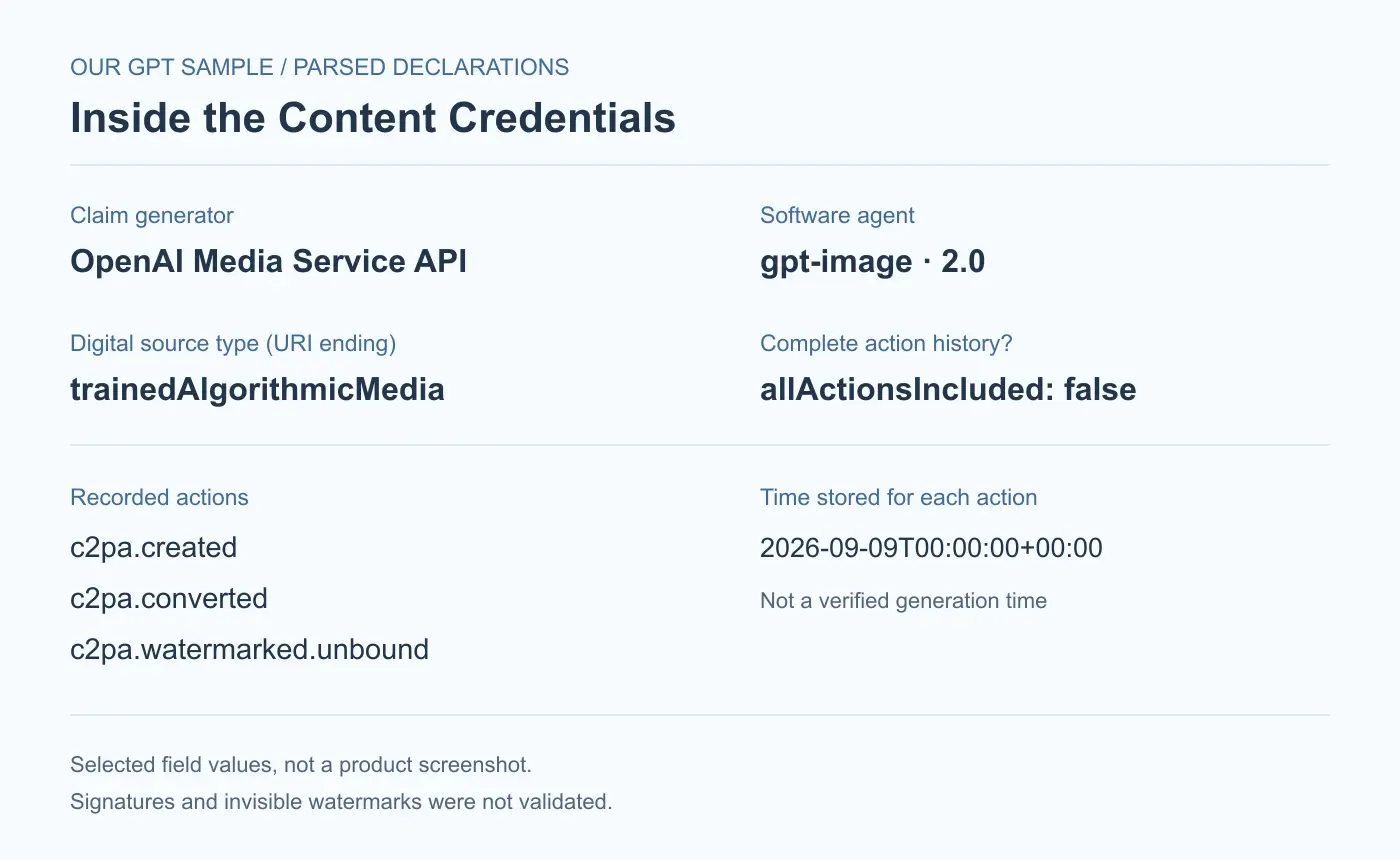
| Field | Recorded value | How to interpret it |
|---|---|---|
| Claim generator | OpenAI Media Service API | The named service that created the provenance claim, not the account holder. |
| Software agent | gpt-image, version 2.0 | The software label recorded for creation. We did not independently verify the running model version. |
| Digital source type | trainedAlgorithmicMedia | The record declares an algorithmic source; this is the final segment of an IPTC vocabulary URI. |
| Action time | 2026-09-09T00:00:00+00:00 | The stored value, not a confirmed precise generation time. |
| Instance ID | An xmp:iid UUID | A file instance identifier. It is not labeled as an account ID. |
| Title | image.png | A generic title, not the prompt or conversation name. |
Three actions appear: c2pa.created, c2pa.converted, and c2pa.watermarked.unbound. Each has the same midnight time value. We would report that literal value, but would not use it to reconstruct the exact moment someone pressed a button.
There is another important field: allActionsIncluded is false. The list must not be presented as a complete account of every processing step. Similarly, a watermark action says that an action was recorded; reading it is not the same as detecting a watermark in the current pixels.
Can someone recover your prompt or account?
We found no prompt, name, email, or account field in the claim and action records we parsed. The text we entered to generate the mug and plant was not present in those declarations.
That is narrower than saying “GPT images never contain personal information.” One sample cannot establish what every product, edited image, or export will contain. It also tells us nothing about records retained by a service outside the shared file.
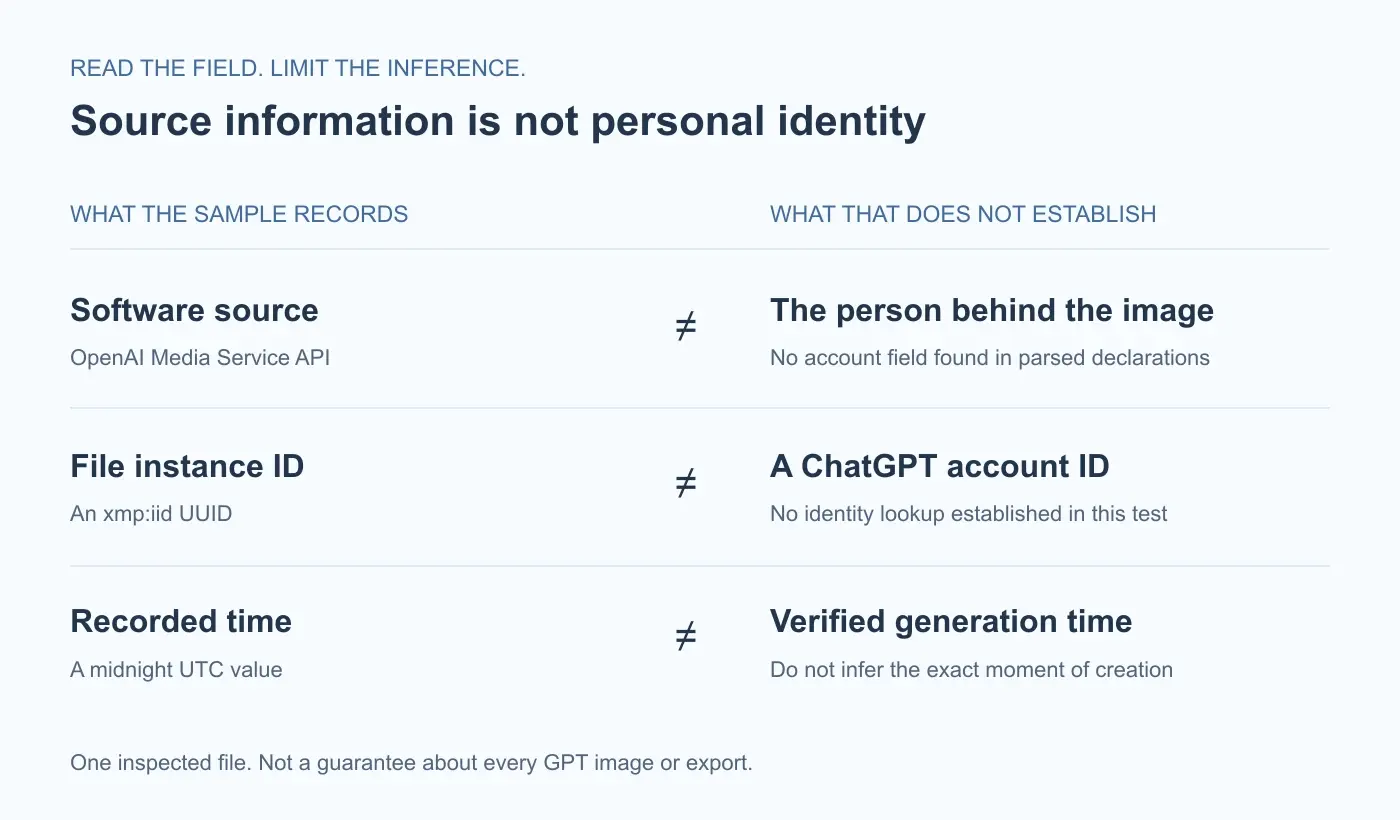
A long identifier can look like a tracking code without telling you who it belongs to. Our sample has a manifest identifier and an instanceID, but we did not establish a public lookup from either identifier to a person. Calling one a “ChatGPT user ID” would add a claim that the inspected record does not support.
Prompt recovery is also tool-specific. Our ComfyUI image metadata walkthrough shows files with explicit prompt and workflow records. The GPT sample here has a different structure. Finding AI-related metadata does not automatically mean that generation instructions are available.
For a recipient, the distinction is practical: a source label may reveal which service a file declares, while leaving the request and the requester unknown. Visible content still deserves a separate privacy check. Names, faces, or confidential text shown in an image are not protected merely because no matching metadata field was found.
How to check the file you plan to share
Start with the final file the recipient will receive. Keep the original alongside it if you want to compare versions. Different files can show the same scene while carrying different records.
Use our AI metadata checker for a local first look at supported embedded fields. Inspection does not require cleaning. A C2PA Content Credentials entry tells you that the tool recognized a supported container; it is not a certificate-trust verdict, a complete manifest reader, or a prompt-recovery promise.
If your question is whether an OpenAI provenance signal can be verified, OpenAI Verify serves a different purpose and involves uploading the file. Consider the file's sensitivity before using an external service. Our sample analysis above did not use that service and must not be read as its result.
Keep three outcomes separate when recording a check:
- Detected: a reader found a metadata container.
- Parsed: specific fields were decoded and can be listed.
- Verified: the relevant signature or provenance signal passed the verifier's checks.
Our field analysis reaches the second step, not the third. If your goal is to prepare a sharing copy, the existing tested AI metadata removal guide covers the cleaning workflow. This article focuses on understanding the information first.
Frequently asked questions
Does missing metadata prove an image is not from ChatGPT?
No. OpenAI notes that provenance signals may be missing, unsupported, or altered. An empty field list can also mean a reader does not support the relevant structure. Report what the chosen check found, not a definitive conclusion about the image's origin.
Is C2PA metadata the same as an invisible watermark?
No. C2PA records and pixel-embedded watermarks are different signals. Removing file metadata does not establish that a watermark is gone. Our C2PA remover page explains the supported cleanup scope; it does not offer SynthID removal.
Will a screenshot keep the same provenance records?
Do not assume so. A screenshot is a different file, and its metadata needs its own check. See our screenshot metadata guide for the distinction between the original image, the capture, and visible private information. We did not run a screenshot comparison on this GPT sample.
Do these findings apply to photos enhanced with ChatGPT?
Not automatically. We tested a newly generated image, not an uploaded photo edited through ChatGPT. An enhancement test needs the input and the returned file from that specific route. Neither the input's fields nor our generated sample can substitute for inspecting the output.
Can I tell whether a provenance claim is trustworthy just by reading it?
No. Readable fields are useful evidence of what a file contains, but signature validation and trust assessment are additional work. Even a supported provenance result is not a guarantee about ownership or the truth of the pictured scene. Preserve that distinction when describing a file to someone else.
Related articles
Privacy & Sharing
Instagram Labeled My Post as AI? What to Check Next
Find out why a real photo can receive an AI label, check what happened on an existing post, and understand what inspecting an upload file can tell you.
AI Metadata & Content Credentials
How to Remove AI Metadata from Photos: A Tested Guide
Follow a real ComfyUI image from its original prompt and workflow data to a cleaned download, then check exactly what changed.