
AI Metadata & Content Credentials
Does Gemini Have a Watermark? Image Tests Explained
We tested Gemini images with visible watermarks on and off. See what C2PA metadata remained and why metadata cleaning did not remove the visible mark.

Does Gemini have a watermark? For images, the visible mark is only part of the answer. Gemini Apps has a setting for visible watermarks, but turning it off does not turn off the other identification signals described by Google.
We downloaded two newly generated images on September 18, 2026, one with the setting off and one with it on. Both contained a C2PA record our inspector recognized. Cleaning that metadata left each image's decoded pixels unchanged, including the star-shaped mark on the watermarked sample.
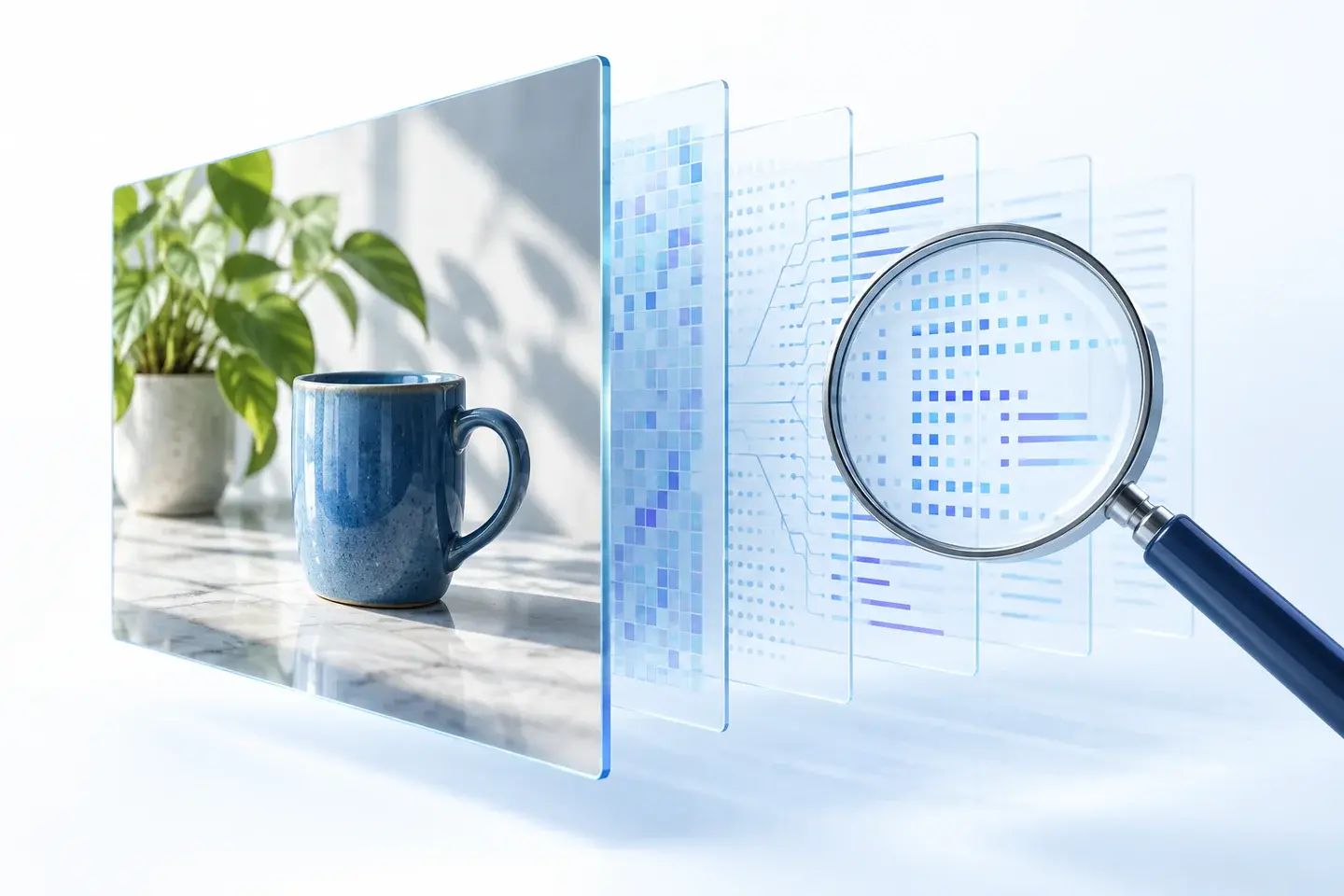
This article concerns images downloaded from Gemini Apps on the web, not Gemini text, video, music, API output, or every Google image-generation product. The cover is a conceptual illustration. The test photographs below are the actual Gemini samples.
Visible watermarks, SynthID and C2PA are different
It helps to ask three separate questions: can you see a mark, does the file contain provenance records, and can a watermark detector identify a signal in the image? A metadata inspector does not answer all three.
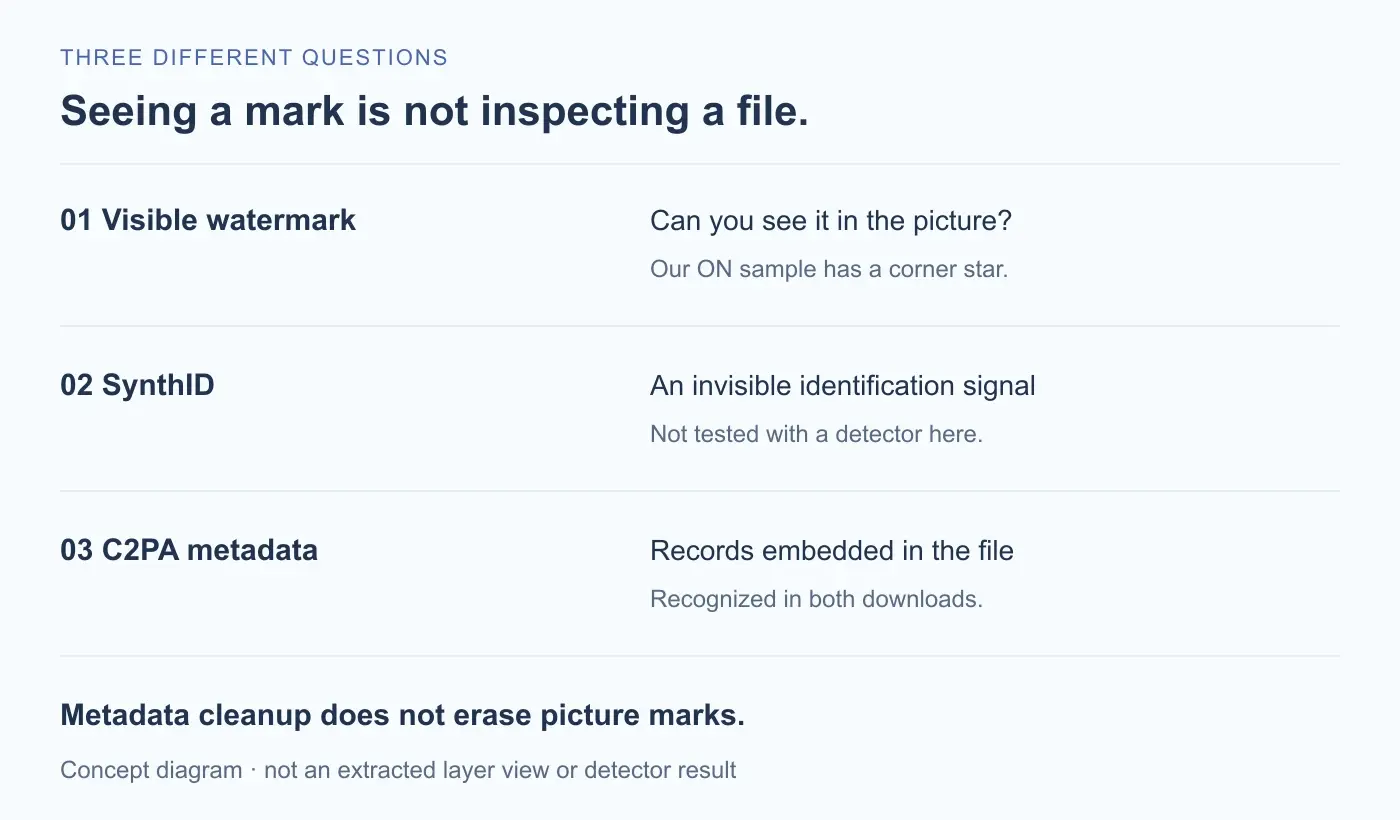
- Visible watermark: a mark you can see in the picture. Our second download has a pale star shape near the bottom-right corner.
- SynthID: an invisible watermark used for identification. It is not an EXIF field that a metadata cleaner can simply delete.
- C2PA Content Credentials: embedded provenance records. In these samples, they were stored in a JPEG APP11 structure and a PNG
caBXchunk.
Google's watermark settings guide says its visible-watermark setting does not affect SynthID or Content Credentials. That is Google's description of the feature. Our narrower test checked downloaded file structures and pixel equality, not whether a SynthID detector could identify either image.
These distinctions matter when comparing tools. A service that edits out a corner logo is changing the picture. A metadata cleaner operates on supported file records. Neither description, on its own, proves anything about an invisible watermark's detectability.
What we downloaded with the watermark on and off
We used the same harmless prompt twice: a blue ceramic cup and a green fern on a wooden table, against a cream wall in daylight. We selected Download full size for each result rather than saving a preview or taking a screenshot.
The first image was generated while Media Watermark was off. After temporarily turning it on, we generated the second image and downloaded it. We then restored the setting to off.
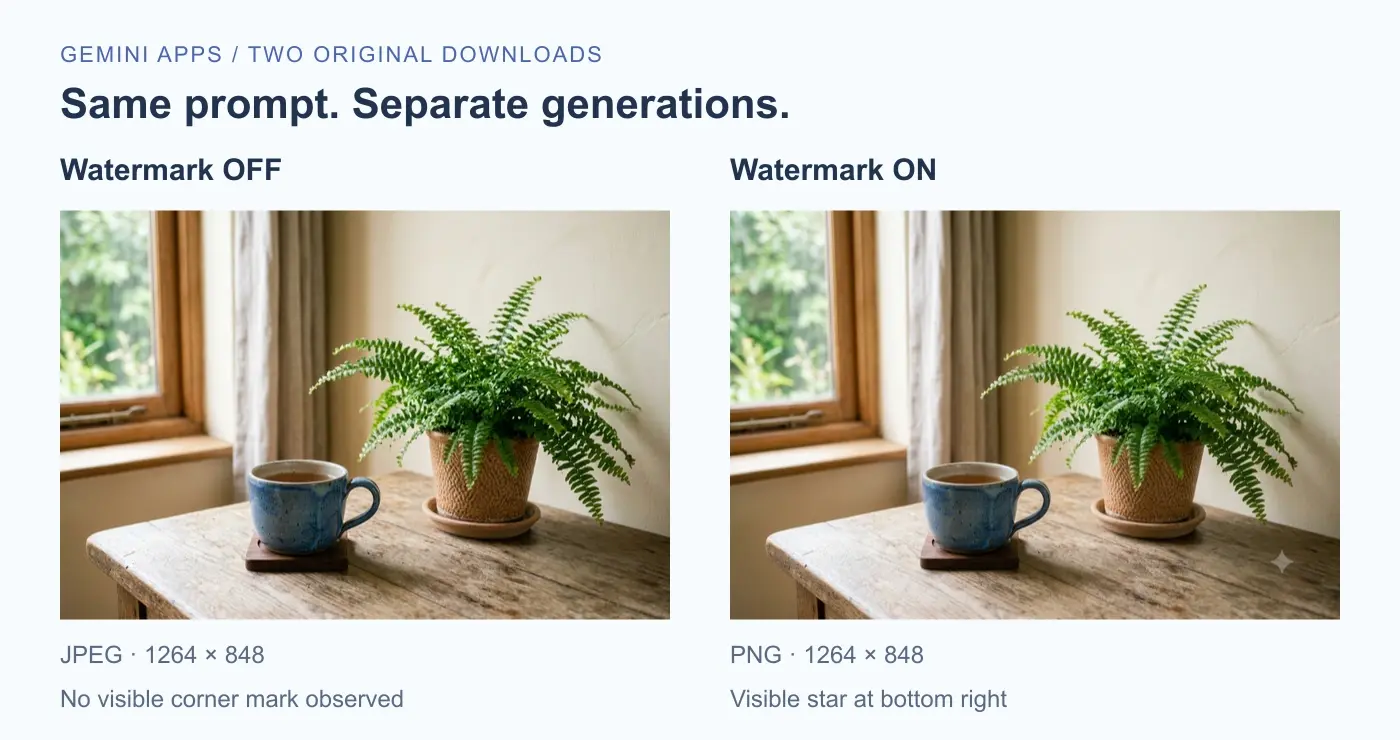
| Field | Setting off | Setting on |
|---|---|---|
| Downloaded format | JPEG | PNG |
| Dimensions | 1264 × 848 | 1264 × 848 |
| Original file size | 796,139 bytes | 2,133,652 bytes |
| Visible corner mark | Not observed | Star-shaped mark observed |
| Recognized C2PA container | APP11 / JUMBF | caBX |
For independent inspection, download the unchanged watermark-off JPEG or watermark-on PNG. Their hashes appear in the evidence summary.


The interface displayed Flash as the conversation mode, but we did not establish the underlying image model. These are two separate generations with different file formats. They do not show that enabling a watermark causes PNG output, a larger file, or a particular composition.
What remained when the visible watermark was off
The JPEG looked unmarked when we viewed the downloaded file. Nevertheless, our AI metadata inspector reported C2PA Content Credentials. The PNG with the visible star produced the same category of finding, stored in a different container.
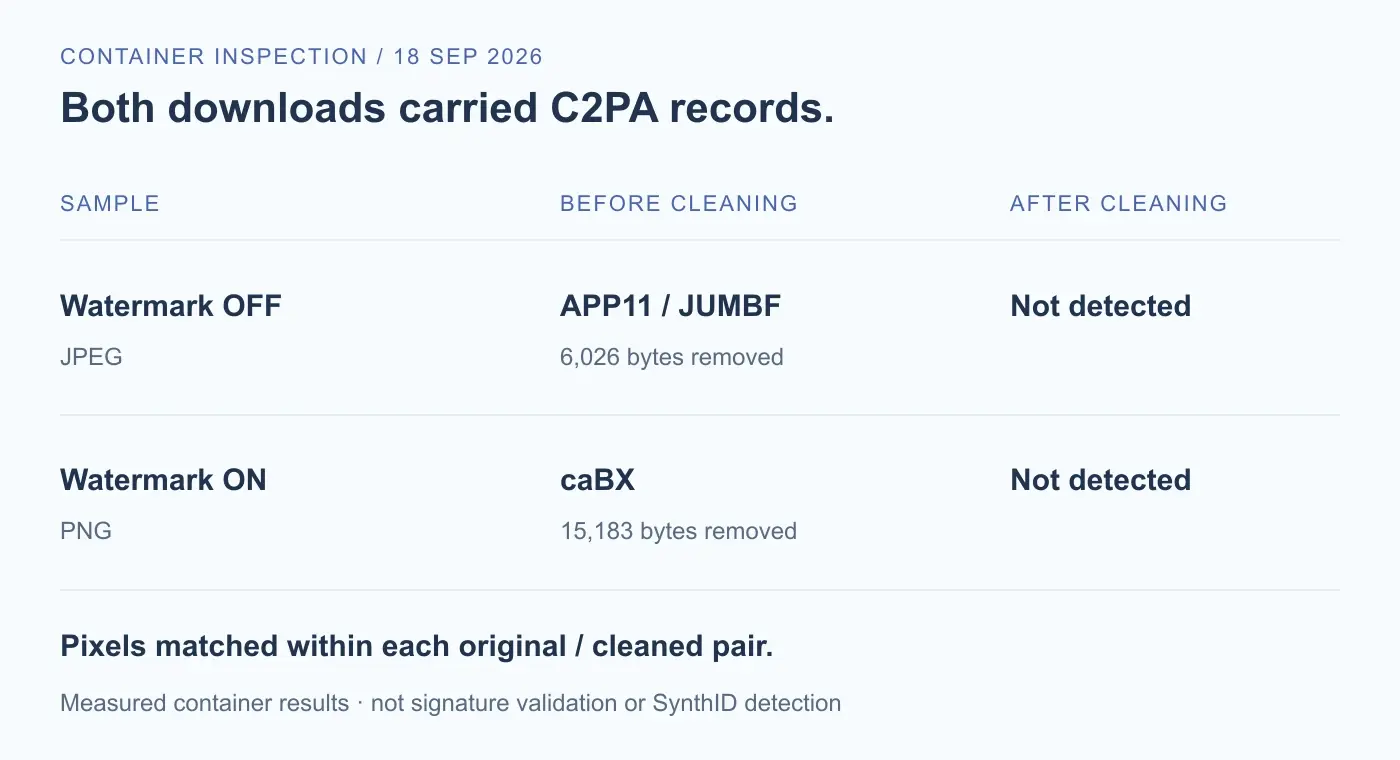
The practical finding is simple: a Gemini image can have no visible corner mark and still contain embedded provenance information. Looking at the picture alone would have missed that distinction in our first sample.
We did not decode and publish the full claims, establish the identity of a creator, or validate a signature. A recognized C2PA container is evidence that the file carries a supported structure, not a guarantee that every assertion in it is trustworthy. It also does not mean a prompt or account name is available.
If your question concerns which personal or generation details a record may expose, our GPT image metadata investigation examines a different sample's parsed fields. Its field list should not be assumed to describe these Gemini files.
Does removing metadata remove the visible watermark?
No, it did not in our test. We uploaded both original files to the local browser tool, left Keep original selected, cleaned them, and downloaded the verified outputs. We then inspected those actual downloads and compared each with its own source file.
The supported C2PA structures were no longer detected. Decoding each before-and-after pair with the same image library produced byte-for-byte identical pixel buffers. Consequently, the visible star in the PNG remained in exactly the same image content.
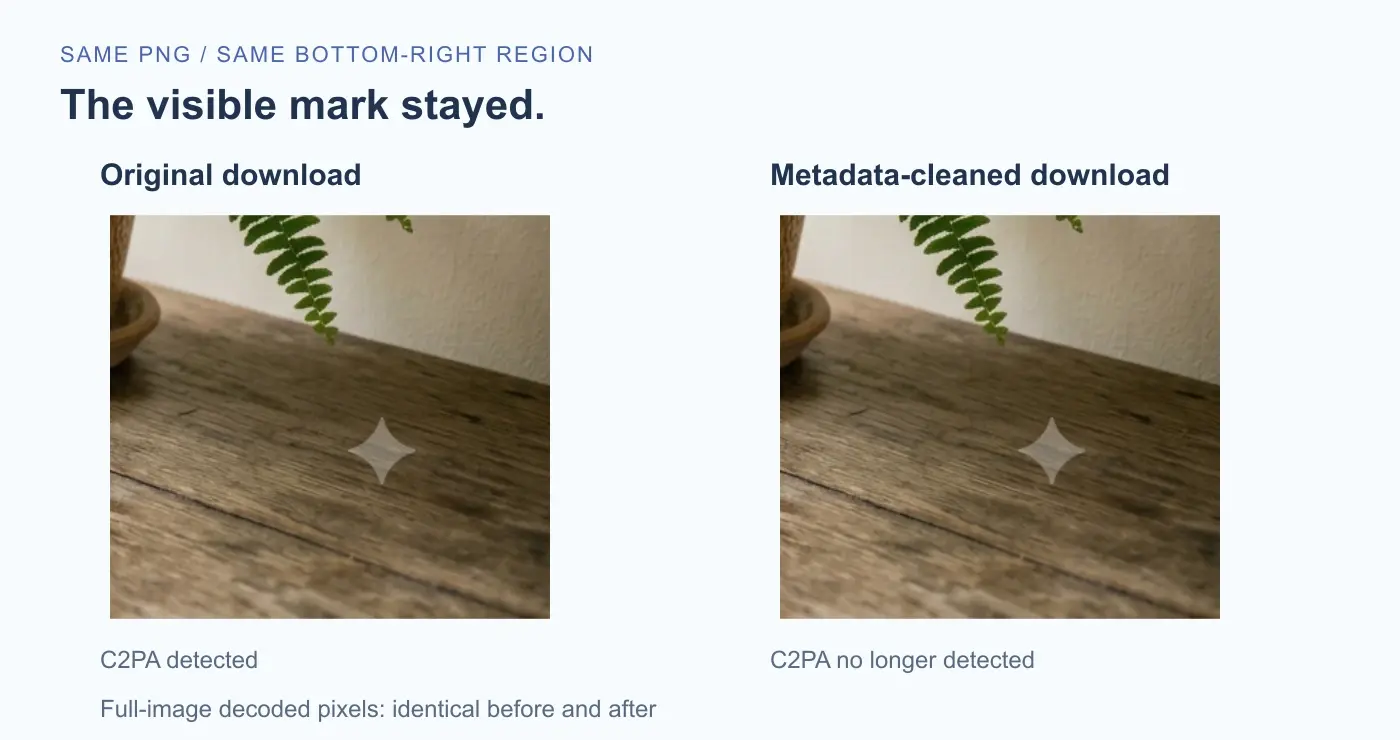
| Field | JPEG sample | PNG sample |
|---|---|---|
| Cleaned download size | 790,113 bytes | 2,118,469 bytes |
| Bytes removed | 6,026 bytes | 15,183 bytes |
| Recognized metadata entries after cleaning | None | None |
| Decoded pixels versus original | Identical | Identical |
| Visible mark after cleaning | Not observed | Still present |
You can also inspect the cleaned JPEG and cleaned PNG. The smaller file sizes reflect removed structures, not a smaller picture or a successfully erased logo.


Someone searching to “remove Gemini watermark and metadata” may be asking for two different operations. Our C2PA remover addresses supported embedded records. It does not erase the Gemini corner mark, remove SynthID, or promise that an AI detector will stop recognizing a file. An empty metadata result is not a watermark-free certificate.
How to check your own Gemini image
Start with the exact download you intend to share. Keep an untouched original, especially if you want to preserve provenance or compare later exports.
- Look at the picture. Check its corners and the rest of the scene for visible marks. This is a visual check, not an invisible-watermark test.
- Inspect embedded records. Use the local AI metadata checker to see which supported fields or containers it recognizes. Detection alone does not require cleaning.
- Choose whether to make a cleaned copy. If removing supported metadata is appropriate for your use, keep the original and inspect the downloaded result again. Our tested removal walkthrough covers the full process.
For future image generation, the computer setting documented by Google is Settings → Media Watermark. Where available, it controls the visible mark on newly generated images. Check Google's current availability guidance if the option is missing. Do not assume a Gemini Apps setting applies to another Google product.
Choose the check that matches the question. Inspecting file metadata, assessing a provenance signature, and detecting SynthID are separate tasks. None of our results establishes ownership, anonymity, or permission to omit a disclosure required by a platform.
Frequently asked questions
Can Gemini generate images without a visible watermark?
Where the Media Watermark option is available, it can be switched off. We generated and downloaded a sample in that state and did not observe a visible corner mark. We still detected embedded C2PA data in the file. That observation does not establish the absence of invisible signals.
Why can't I find the watermark setting?
Availability can depend on location and subscription. At our September 18 check, Google specified that users in India, South Korea, and Vietnam need AI Ultra to see the setting; otherwise visible watermarks are applied. The linked official guide is the reference for changes. This article does not test every account or region.
Does changing the setting remove a mark from an image I already saved?
Changing a website preference does not rewrite a file already saved on your computer. Google's guide describes the setting for newly generated images. We did not test whether downloading an older generation again produces a different file, so we do not promise that behavior.
Is SynthID the same as C2PA metadata?
No. They are different identification mechanisms. A metadata parser can recognize supported embedded C2PA structures without detecting SynthID. We did not test for SynthID in these samples, and deleting a C2PA container does not demonstrate that an invisible watermark is gone.
Does an empty metadata result mean an image has no watermark?
No. Our cleaned PNG is a direct counterexample: the inspector found no metadata entries it reports, while the visible star remained. A check can also miss unsupported structures. Describe the result as what that particular inspector found, not proof of a file's origin or lack of watermarks.
Can this tool remove the Gemini logo or SynthID?
No. The tool cleans supported embedded metadata, not marks encoded in the picture. If your goal is to control the visible mark on future Gemini Apps images, consult the official setting. Our cleanup test makes no claim about removing or defeating an invisible signal.
Test method and sources
We generated the two samples through Gemini Apps on the web on September 18, 2026, using the same neutral prompt and the full-size download control. The temporary setting change was reversed after collection. We inspected each original locally, then exercised our browser upload, Worker cleanup, verification, and individual-download flow with Keep original selected.
For an independent output check, we parsed the downloaded JPEG and PNG again and decoded the original/output pairs with sharp. The full decoded pixel buffers matched within each pair. Source and output SHA-256 hashes, byte sizes, dimensions, and the recorded results are available in the machine-readable evidence file.
This is a two-file case study, not a claim about all Gemini models, devices, accounts, edited uploads, or export routes. We did not validate C2PA signatures or trust chains, fully interpret every manifest assertion, or run a SynthID detector. The diagrams summarize our measurements; the conceptual cover is not a Gemini test result.
For feature behavior and setting availability, see Manage watermark settings in Gemini Apps. For Google's separate identification workflow, see Verify AI-generated images, videos, and audio. We did not use that verification workflow in this test.
Related articles
AI Metadata & Content Credentials
Do ChatGPT-Generated Images Have Metadata? What the File Can Reveal
See the source, action, and time fields inside a real GPT-generated image, and understand what they do not tell a recipient about your prompt or identity.
AI Metadata & Content Credentials
How to Remove AI Metadata from Photos: A Tested Guide
Follow a real ComfyUI image from its original prompt and workflow data to a cleaned download, then check exactly what changed.